Clamps and linked slide bars
Latch
Holds a ring in place. A stick locks it, so release the stick first and then turn the matching ring.
Stick
Slide bar. Move it sideways to release the latch it is tied to.
When a ring will not move
Check whether the ring is open or closed, whether a stop pin limits rotation and whether a latch is still locked by a bar. Repeated rotation does not remove a fixed obstruction. Compare the neighboring connections, then return to the step for the matching ring number.
How it works
Locate each clamp and its connected slide bar or ring. Check which objects are connected before turning a ring or moving a bar. Use the board image to distinguish nearby clamps and keep track of the ring numbers.
Match your board
The game has different level schedules, so the board for the same level number may differ. Open a related level and choose the thumbnail that matches your game. The numbers in the diagram identify individual rings, not the operation order.
How to find your Rotate Rings solution
Start with the level number shown in your game. Compare the ring count, openings and connected bars with the thumbnails, then choose the matching board. Read the connection notes before rotating a ring; the diagram numbers identify rings, while the step numbers include actions on bars and latches.
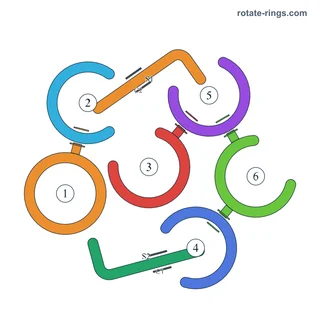
Browse by number or match by mechanics →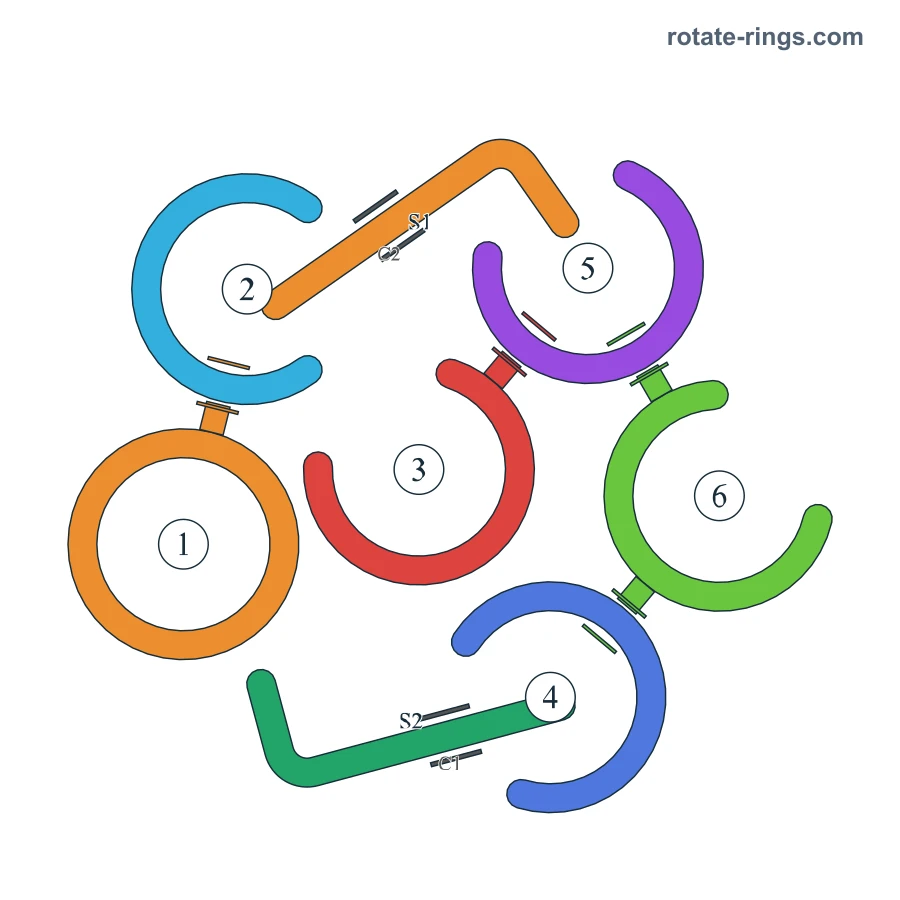
Read this board before making a move
- Ring
- An open ring can rotate. Align its opening with the connecting pin to release that connection. Rings fly away automatically once their connections and constraints are released.
- Blocking pin
- A fixed pin sitting on a ring's edge. It holds another ring in place, so its gap has to face this pin.Read the mechanism guide →
- Latch
- Holds a ring in place. A stick locks it, so release the stick first and then turn the matching ring.Read the mechanism guide →
- Stick
- Slide bar. Move it sideways to release the latch it is tied to.Read the mechanism guide →
- Closed ring
- A closed ring has no opening. Release its blocking connections using the surrounding objects; the ring flies away automatically when it is free.Read the mechanism guide →
Ring positions and connections
Positions refer to the diagram. Connections describe what to inspect, not an additional removal order.
| Ring | Position | Type |
|---|---|---|
| 1 | Middle left | Closed |
| 2 | Upper left | Open |
| 3 | Center | Open |
| 4 | Lower center | Open |
| 5 | Upper center | Open |
| 6 | Middle right | Open |
- Ring 3 is connected to a blocking relationship with ring 5. Check this pair on the diagram.
- Ring 6 is connected to a blocking relationship with ring 5. Check this pair on the diagram.
- Ring 6 is connected to a blocking relationship with ring 4. Check this pair on the diagram.
- Ring 1 is connected to a blocking relationship with ring 2. Check this pair on the diagram.
Related levels
Frequently asked questions
Why does my level look different?
The game has different level schedules. A number alone does not identify the board: compare the thumbnails and choose the rings, bars and pins that match your screen.
What do the numbers on the diagram mean?
They identify individual rings, not the operation order. A written step can also describe a bar or latch, so the step number is not always the ring number. Match the ring number named in the instruction with the diagram.
Can a ring without an opening rotate out?
A closed ring has no opening. Release its blocking connections using the surrounding objects; the ring flies away automatically when it is free.
What does the Hint tool do?
Hint highlights objects to rotate, sometimes in a sequence. Follow the highlighted objects in your game and compare them with the numbered board. It is different from Hammer, which destroys a selected object, or Firework, which clears a random target.